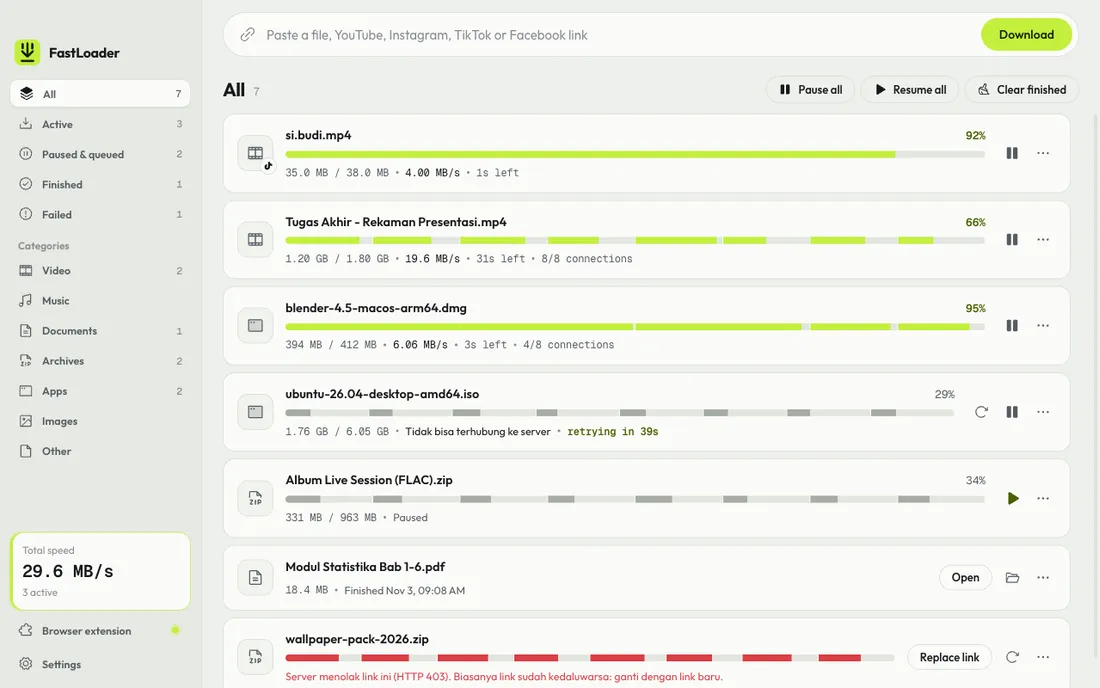
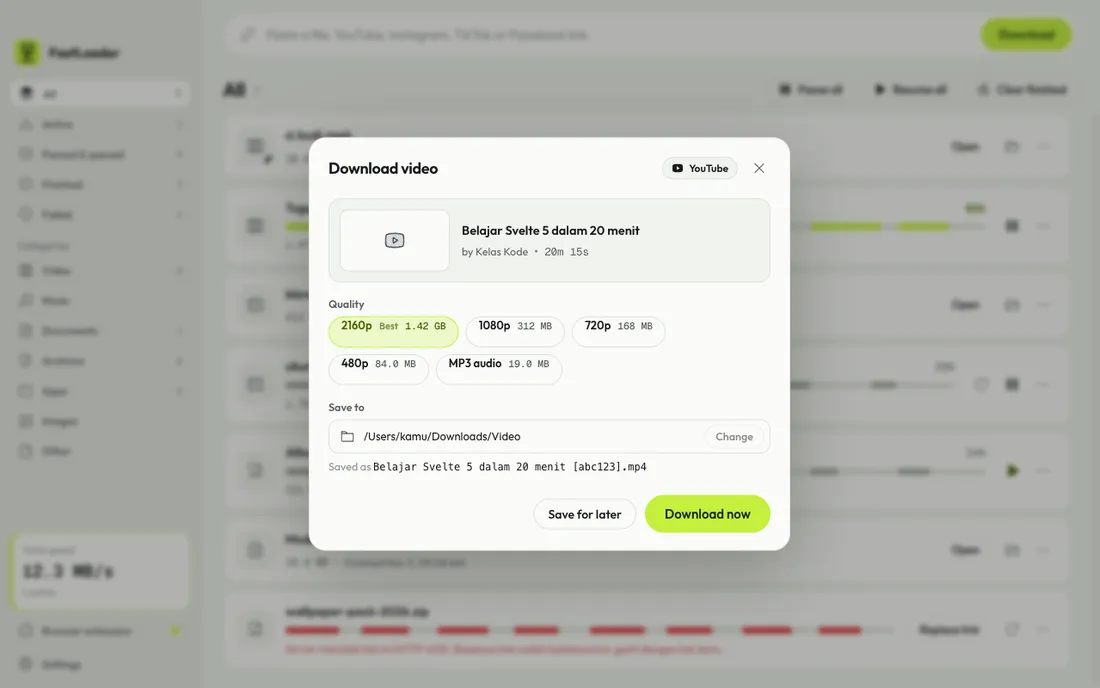
FastLoader download list with progress for every connectionChoosing a quality when downloading a YouTube video
Windows has plenty of download managers, but on the Mac the options are few and most feel dated. We built FastLoader so big downloads feel light on both: a modern look, and a workflow as simple as paste a link and click.
Features
Multi-connection downloads: one file is split across 1 to 32 connections (8 by default). Connections that finish early help the slow ones, so the last few percent never drag.
Pause and resume: close the app or shut down your laptop, and the download picks up where it left off.
Resumes when the internet comes back: a dropped connection does not fail the download. FastLoader keeps retrying on its own until it succeeds.
Replace expired links: if the server rejects an old link, paste a new one and the part already downloaded is kept.
YouTube, Instagram, TikTok, and Facebook videos: paste a link and pick a quality up to 4K, or MP3. TikTok, Instagram, and Facebook videos are saved in one folder per account, with the caption.
Catch downloads from the browser: extensions for Chrome, Edge, Brave, and Safari. Right-click a link and choose “Download with FastLoader”.
Tidy by default: files land in Video, Music, Documents, Compressed, Programs, or Images.
Queue, speed limit, completion notifications, light and dark themes, English and Indonesian.
Status
FastLoader 0.6 is being tested on Mac and Windows. Download links will appear on this page once it is publicly released.